Your logbook still works at FL350.
Every flight lives on your iPhone and iPad. No spinner, no signal bars, no “connect to continue.”
iPhone · iPad · iOS 17 or later
Built by a working airline pilot.
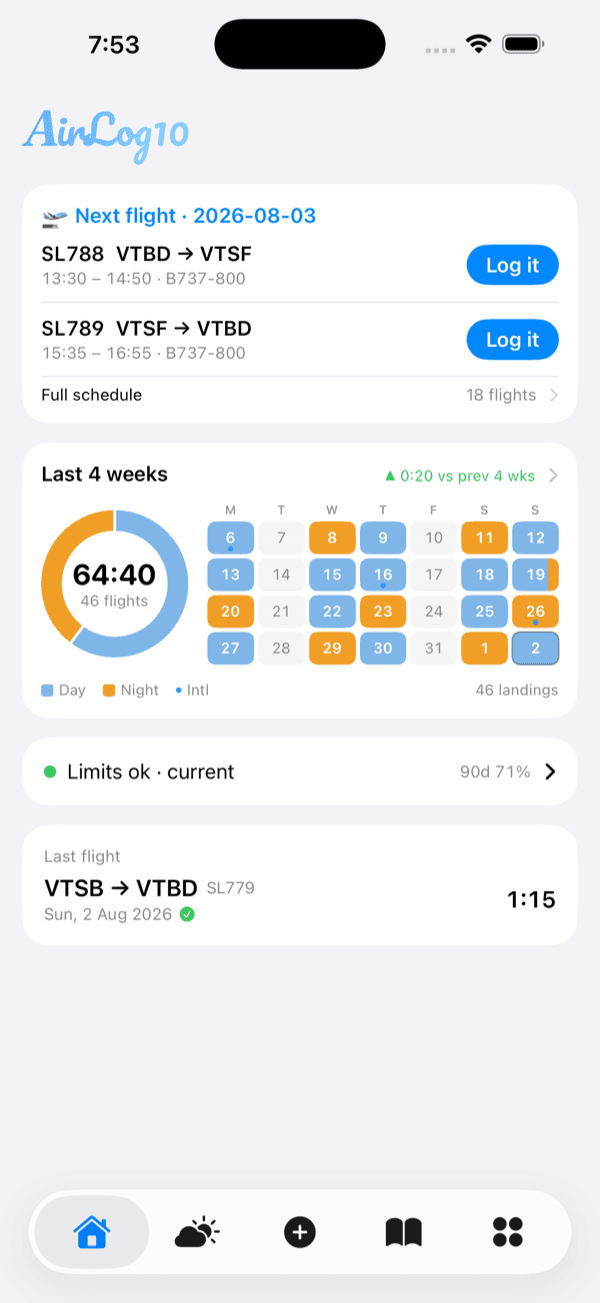
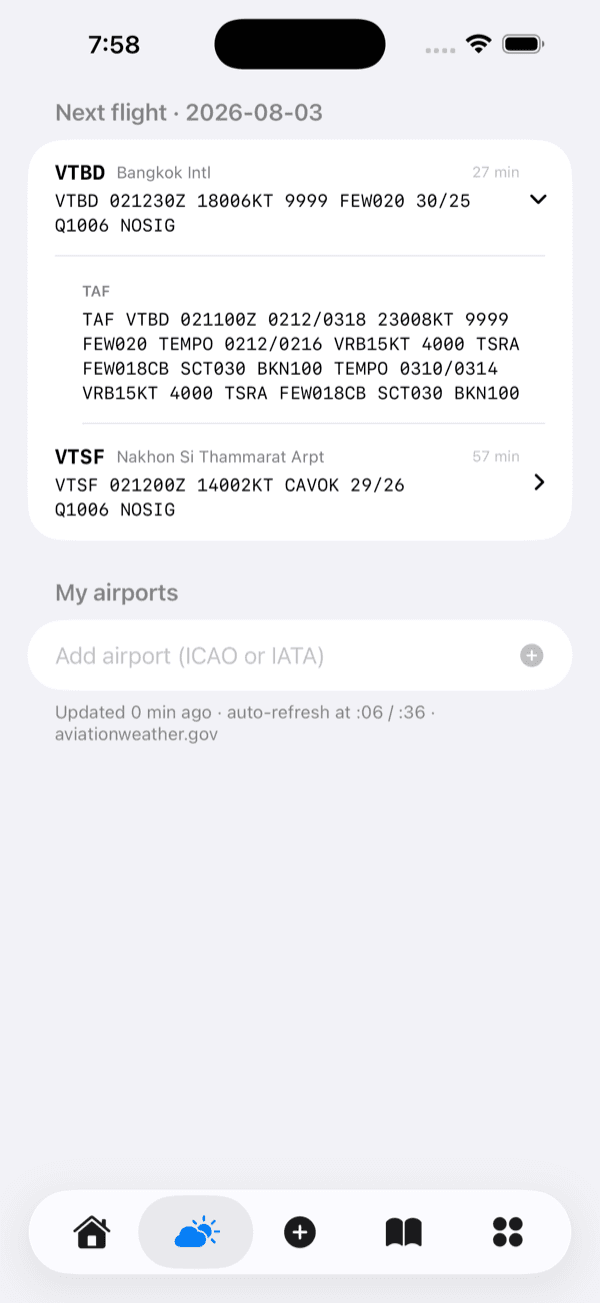
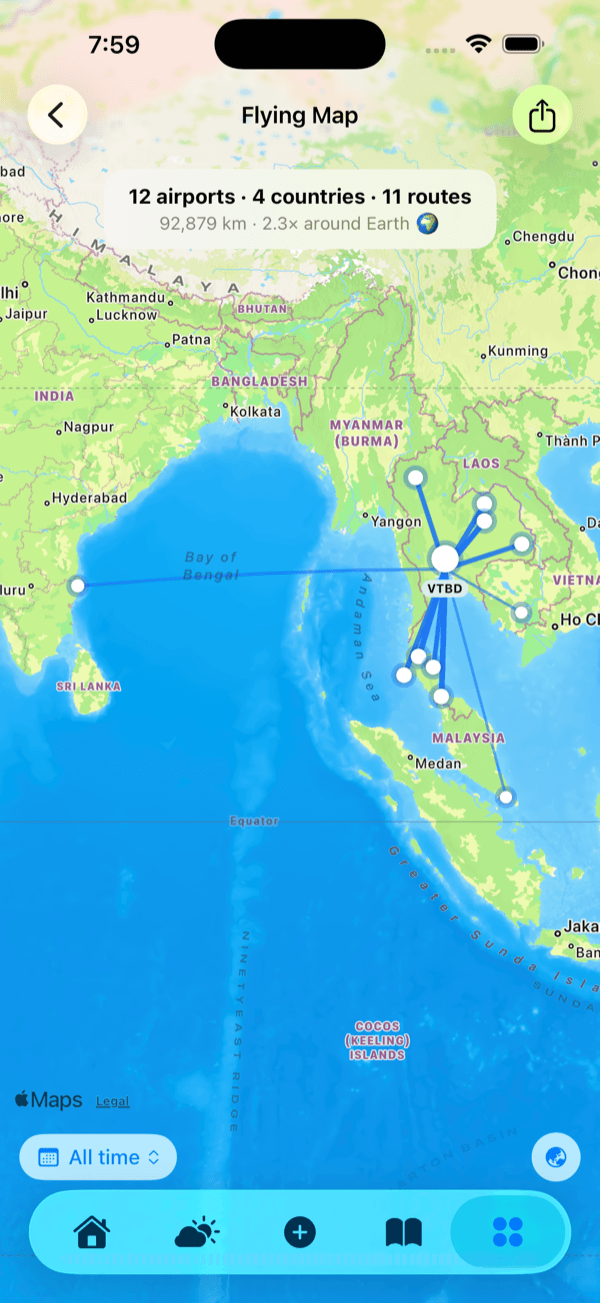
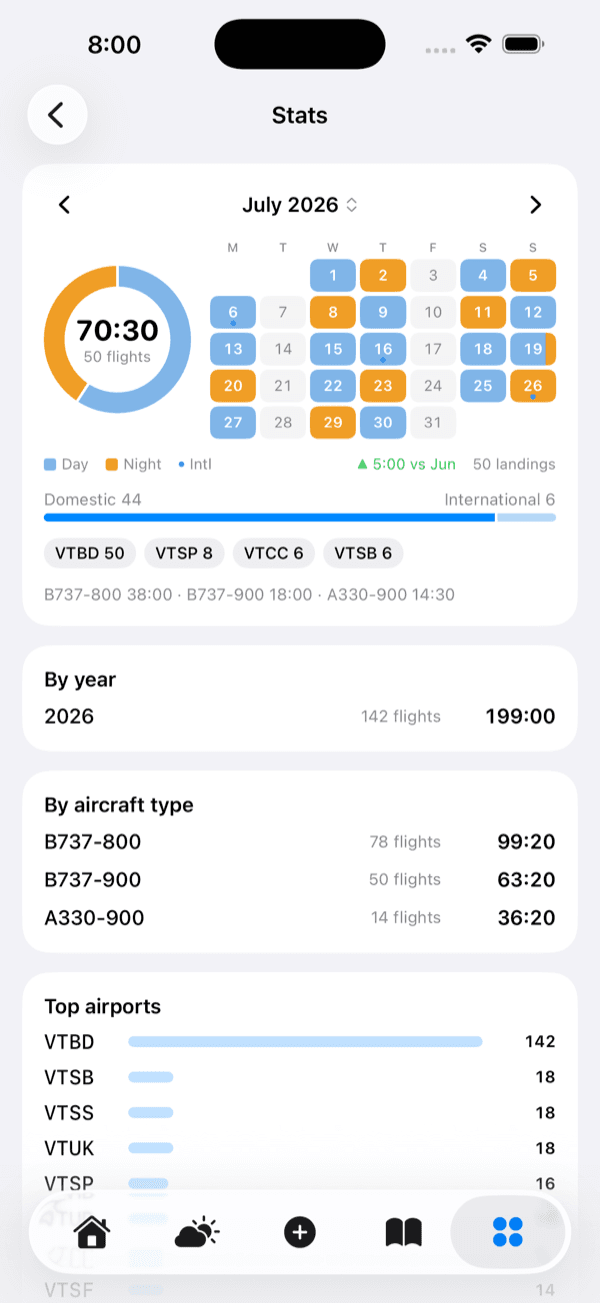
Home — your next flight
Swipe to see the app.
Your company logbook, imported
Air Canada, Peach Aviation, Air Busan, Air Premia, Eastar Jet, Jeju Air, Jin Air, Korean Air, T'way Air, Thai AirAsia, Thai Airways, Thai Lion Air and LogTen Pro are recognised automatically. Duplicates are skipped.
Works in airplane mode
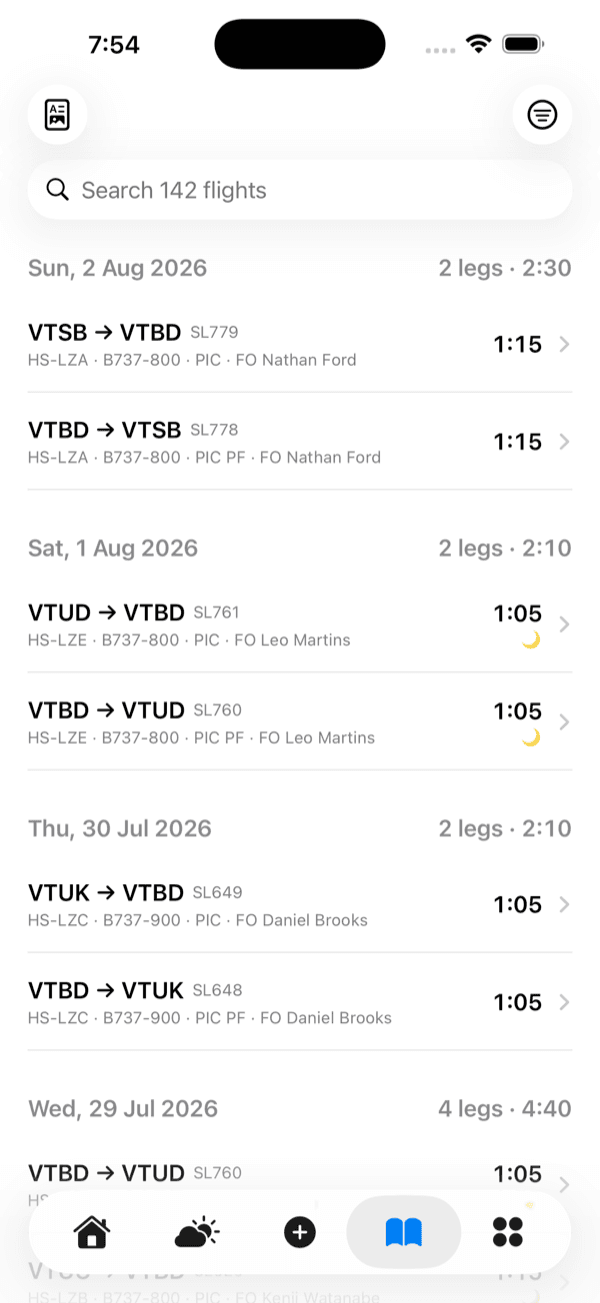
Your flights, totals and logbook are already on the device.
A real logbook, not scattered files
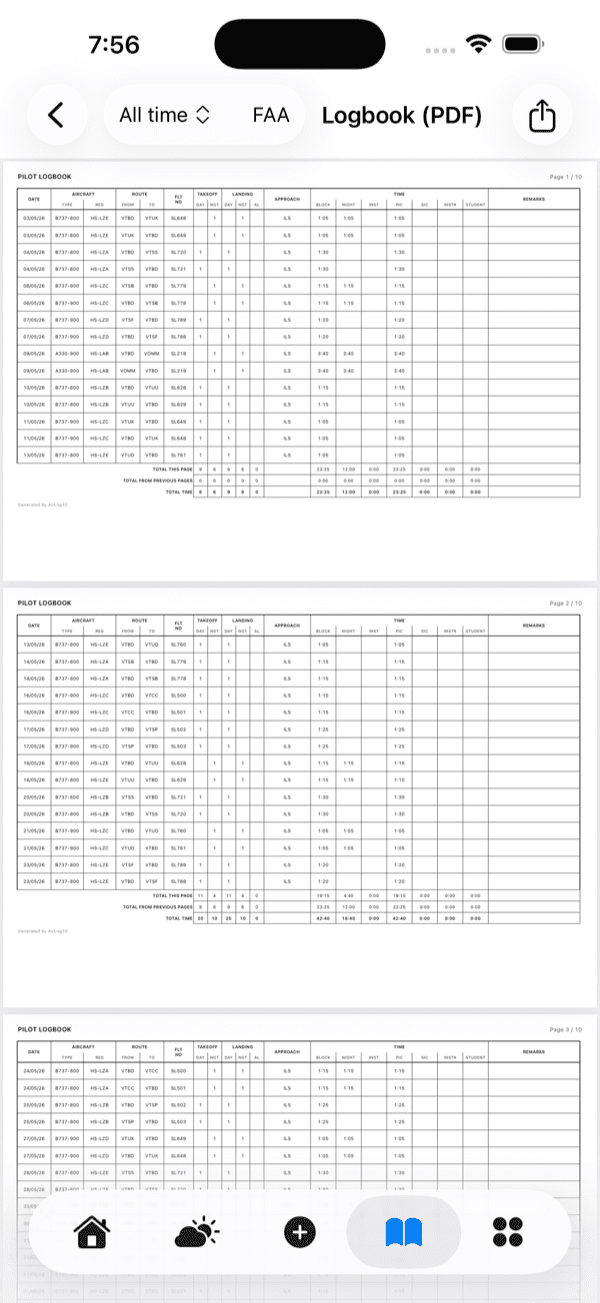
FAA and EASA layouts with page totals carried forward.
Why it exists
AirLog10 keeps your flights on the phone itself. Log the leg, close it. There is nothing to wait for. When you land, it syncs.
One app, not four.
Your logbook and stats, your duty limits and currency, your medical and licence expiries, and the weather for today’s airports — all in one place. No spreadsheet on the side, no second app to open.
Logbook & stats
Duty & currency
Expiries
Weather
Without opening the app
The things you check before every flight, on the outside of your phone.
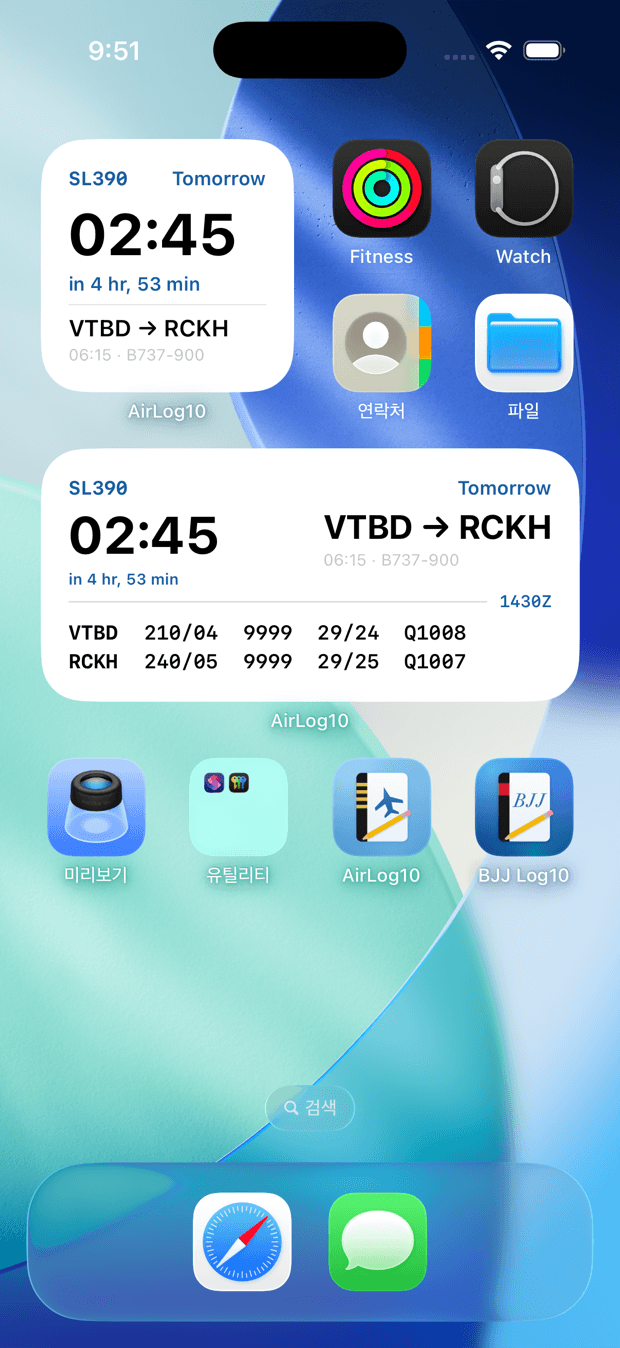
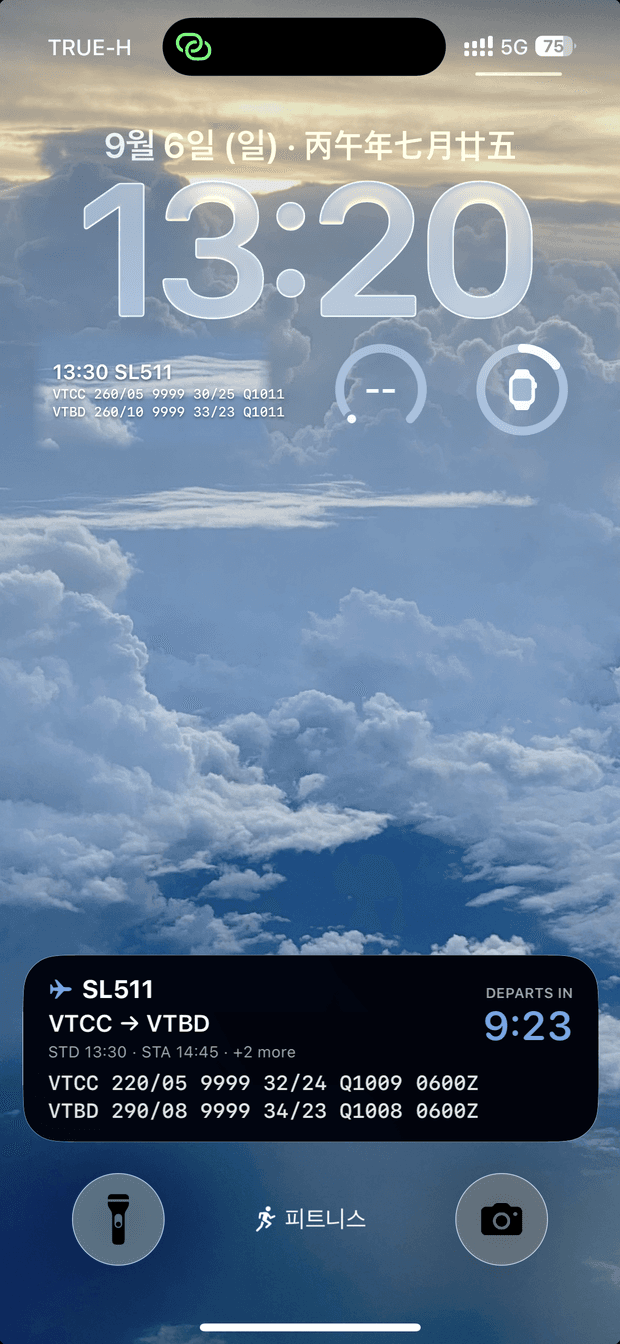
Widgets
- Home screen — your next flight: route, times, aircraft, and how many legs are left today
- The medium size adds the departure METAR
- Lock screen — next flight with departure and arrival METAR, one line each
- Departure countdown on the Lock Screen and Dynamic Island — report, departure, then landing, with both airports’ METAR right on the card
Alerts
- Departure alarm — hours before STD, with route, STD and report time. You choose how many hours
- Tomorrow’s briefing — the evening before, at a time you pick
- A warning when your 28-day block time passes 90% of the limit
- Medical, English proficiency and recurrent expiries
Every alert is scheduled on the phone itself. No server, no connection — they fire even with the app closed.
How it works
Three steps, and you are done for good.
- 1
Bring your history
Import an Excel roster, your company’s printed PDF, or a photo of the roster on the crew room wall. Air Canada, Peach Aviation, Air Busan, Air Premia, Eastar Jet, Jeju Air, Jin Air, Korean Air, T'way Air, Thai AirAsia, Thai Airways, Thai Lion Air and LogTen Pro formats are recognised automatically, and duplicate flights are skipped — so re-importing is always safe.
- 2
Log a flight in seconds
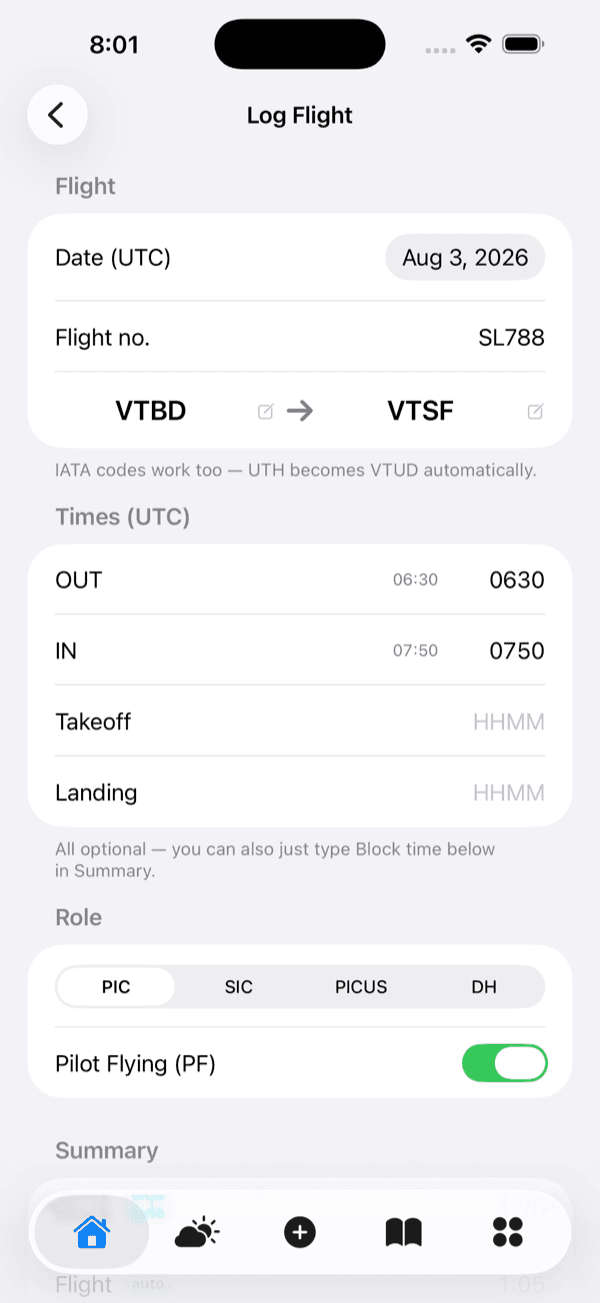
Today’s roster is already on the home screen. Tap “Log it” and the route, times and aircraft are filled in. Type IATA and it becomes ICAO — UTH turns into VTUD by itself.
- 3
Print a real logbook
FAA or EASA layout, page totals carried forward, ready to hand to an inspector. Share it as a PDF straight from the app.
What’s in it
Night time, automatic
Civil twilight (−6°) sampled along the great-circle route. Type your own figure and AirLog10 keeps it.
METAR & TAF
Your next flight’s airports, plus any you add yourself. Refreshed twice an hour from aviationweather.gov.
Flying map
Every route you have flown, drawn on one map — airports, countries, and how many times around the Earth.
Limits & currency
28-day, 90-day and 12-month totals, with takeoffs and landings, in one line on the home screen.
Stats that answer questions
By month, year, aircraft type and airport. Day against night, domestic against international.
Yours, offline
Everything is on the device. Sync is a backup, not a requirement.
Built for iPad
The logbook opens side by side — pick a flight on the left, read it on the right, like a paper logbook lying open.
One purchase, both devices
Your subscription is tied to your Apple Account, so iPhone and iPad come together. Nothing to buy twice.
Notes on crews, airports and aircraft
Jot down that the runway is short, or how a captain likes the briefing. It comes back the next time you fly there — or with them.
Simple pricing
Monthly
$2.99
per month
Yearly
$24.99
per year
Reading is always free.
If your subscription ends, your flights do not go anywhere. You can still open them, search them and edit them. A subscription is needed only to add a new flight, import, or export the logbook PDF.
Prices are lower in some countries — you always see your own store’s price.
Questions
Does it really work with no signal?
Yes. Your flights are stored on the iPhone, not fetched from a server. The only two things that need a connection are importing a company logbook and refreshing weather.
Can I bring my old logbook in?
Yes — an Excel file, a printed PDF from your company, or a photo of your roster. Duplicate flights are detected and skipped, so you can import the same file twice without making a mess.
What happens to my flights if I stop paying?
Nothing. You keep reading, searching and editing them for as long as you like. Only adding new flights, importing and PDF export are locked.
Where is my data kept?
On your iPhone. A copy is synced to your account so you can restore it on a new phone. No ads, no analytics, and nothing shared with anyone else.
FAA or EASA?
Both. Choose the layout when you open the logbook PDF.
Which times does it use?
UTC, the way your roster does.
Is there an Android version?
Not yet. AirLog10 is an iPhone app for now.